





Personal AI tools in 2026 are becoming practical everyday assistants for people who want to save time, research faster, plan trips, write emails, organize schedules, learn new skills, create images and make routine decisions. This guide compares 10 useful AI tools for everyday life, explains what each one is best for, and shows where AI can genuinely help without adding unnecessary complexity.
For people in the United States, AI assistants are becoming particularly useful because they can handle many small tasks that normally take time throughout the day. Recent research from Pew Research Center found that 42% of U.S. adults who use AI chatbots use them to search for information, while 38% of employed adults use them for work-related tasks.
The biggest benefit is not necessarily replacing human work. Instead, the best AI tools for everyday life can help people get started faster, organize information, reduce repetitive work, and make everyday decisions easier.
Here are 10 practical ways AI tools can fit into your daily routine in 2026.

What Are AI Tools for Everyday Life?
AI tools for everyday life are applications and digital assistants that use artificial intelligence to help with common personal, educational, creative, or work-related tasks.
Unlike specialized AI software designed for engineers or businesses, everyday AI tools are generally designed to be easy to use. You can ask a question in normal language, describe what you need, upload information, or provide an instruction, and the AI can help generate an answer or complete part of the task.
Common everyday uses include:
- Searching for information
- Writing emails and messages
- Planning trips
- Creating schedules
- Learning new subjects
- Summarizing documents
- Creating images
- Brainstorming ideas
- Planning meals
- Organizing personal tasks
The technology is also moving beyond simple question-and-answer chatbots. In 2026, major AI platforms are increasingly adding features that can interact with apps, handle tasks, and provide more proactive assistance. Google, for example, has introduced more agent-like features in Gemini, while Microsoft continues to position Copilot around everyday activities such as shopping, travel, email, meal planning, and organization.
1. ChatGPT for Planning, Writing and Research
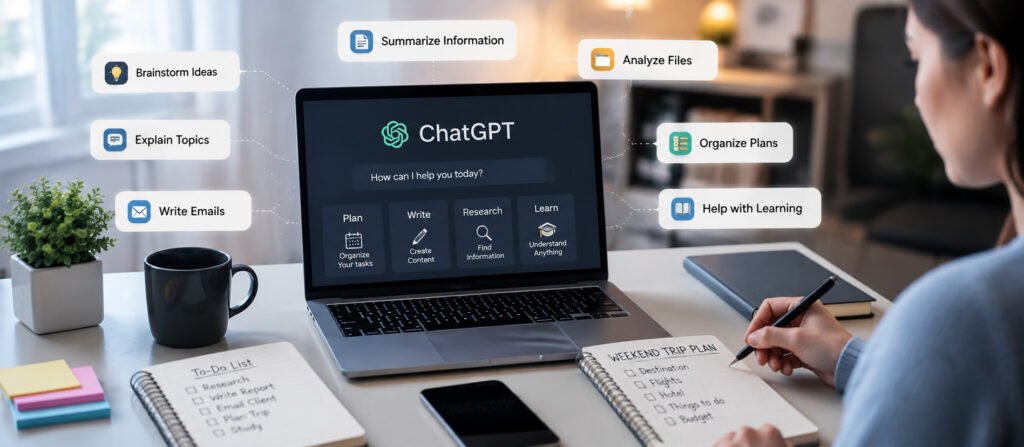
ChatGPT is one of the most flexible AI tools for everyday life because it can be used for many different types of tasks.
You can use it to brainstorm ideas, explain complicated subjects, write or improve messages, summarize information, organize plans, analyze files, and help with learning.
For example, instead of spending 20 minutes trying to organize a weekend trip, you could ask an AI assistant to create a simple itinerary based on your destination, available time, interests, and budget.
It can also help with smaller tasks, such as:
- Writing a professional email
- Creating a shopping list
- Explaining a difficult topic
- Brainstorming birthday ideas
- Organizing a project
- Creating a study plan
- Summarizing a document
- Comparing different options
OpenAI’s current documentation describes ChatGPT as an AI assistant for everyday tasks including brainstorming, writing, studying, planning, mathematics, coding, image analysis, and file analysis.
Best use:
Planning, writing, research, learning and general assistance.
2. Google Gemini for Information and Everyday Assistance
Google Gemini has become another major AI assistant for everyday users.
One of its biggest advantages is its connection to Google’s broader ecosystem. Depending on the available features and account, Gemini can assist with information, planning, creative tasks, learning, and interactions with connected services.
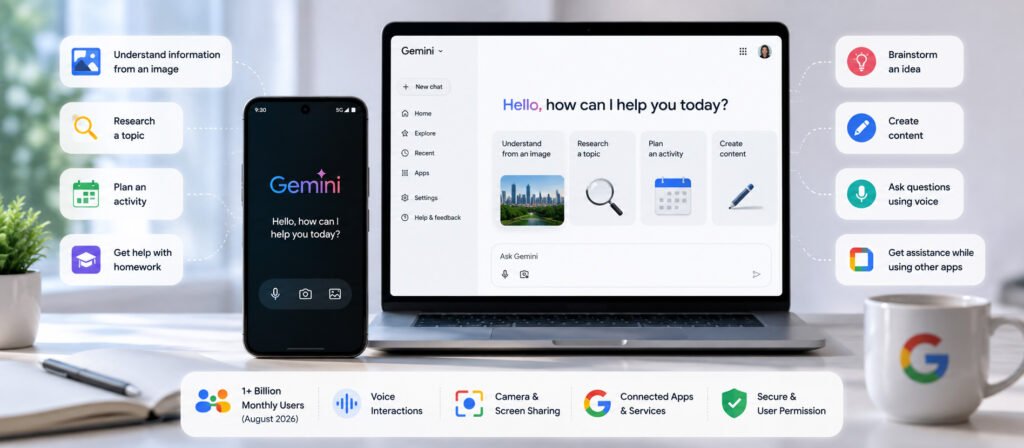
Google reported in August 2026 that the Gemini app had surpassed 1 billion monthly users. The company also said users were increasingly using voice interactions, camera and screen sharing, and connected apps for practical tasks.
This makes Gemini useful for situations where you want an AI assistant to help you understand something in the real world.
For example, you might use an AI assistant to:
- Understand information from an image
- Research a topic
- Plan an activity
- Get help with homework
- Brainstorm an idea
- Create content
- Ask questions using voice
- Get assistance while using other apps
Google has also been developing more agentic capabilities that allow Gemini to assist with complex web-based tasks with user permission.
Best use:
Research, information, Google ecosystem tasks and multimodal assistance.
3. Microsoft Copilot for Daily Tasks
Microsoft Copilot is designed to bring AI assistance into many everyday activities.
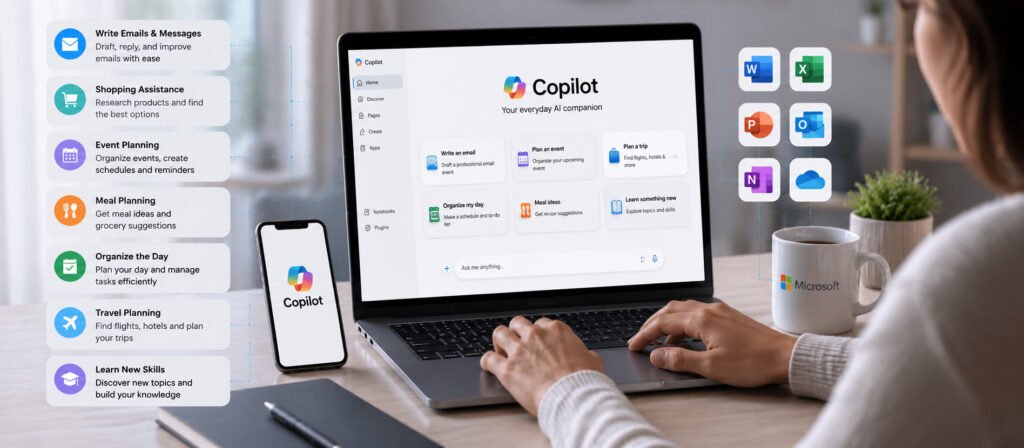
Microsoft’s own Copilot resources include practical use cases such as writing emails and messages, shopping assistance, event planning, meal planning, organizing the day, travel planning, and learning new skills.
That makes Copilot particularly interesting for people who already use Microsoft products or want an AI assistant for practical daily tasks.
For example, you could use AI to improve the wording of an important email instead of starting from a blank page.
You could also ask for help organizing a busy day or generating ideas for a family activity.
AI can be particularly useful for reducing the small amount of mental effort required for repetitive tasks.
Best use:
Email, organization, shopping research, planning and Microsoft-related workflows.
4. AI Tools for Travel Planning
Planning a trip can involve dozens of small decisions.
You need to think about destinations, transportation, hotels, activities, restaurants, weather, timing, and budget. AI can help organize this information into a more manageable plan.
Instead of asking an AI tool a vague question such as “Plan my vacation,” provide specific information:
“I’m planning a five-day trip to California in October. I enjoy beaches, food, museums and photography. Create a realistic itinerary with enough free time each day.”
The resulting plan can then be reviewed and adjusted.
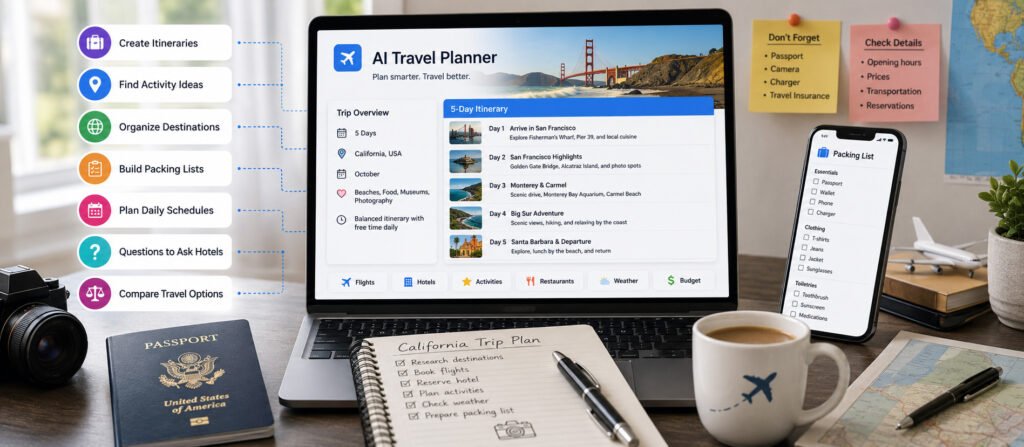
AI can help with:
- Creating travel itineraries
- Finding activity ideas
- Organizing destinations
- Building packing lists
- Planning daily schedules
- Generating questions to ask hotels
- Comparing travel options
However, travelers should still verify important details such as opening hours, prices, transportation schedules, entry requirements, and reservations directly with the relevant providers.
5. AI for Meal Planning and Recipes
Deciding what to cook every day can become surprisingly repetitive.
AI can make meal planning easier by creating suggestions based on ingredients, dietary preferences, cooking time, or the number of people eating.
For example:
“Create a five-day dinner plan for a family of four using chicken, rice, vegetables and pasta. Keep each meal under 30 minutes.”
You can then ask the AI to create a grocery list based on the selected meals.
AI can also help when you have ingredients at home but do not know what to make.
You could provide a list of ingredients and ask for several recipe ideas.
Microsoft specifically highlights AI-powered meal planning as one of its everyday Copilot use cases.
Best use:
Meal ideas, grocery planning and reducing daily decision-making.
6. AI for Learning and Studying
AI tools can also act as personal learning assistants.
Instead of simply asking for an answer, students and lifelong learners can use AI to explain concepts in different ways.
For example:
“Explain inflation like I’m a high school student, then give me three real-world examples.”
You can then ask follow-up questions until the subject becomes easier to understand.
AI can help create:
- Study plans
- Practice questions
- Flashcards
- Topic summaries
- Writing feedback
- Vocabulary exercises
- Step-by-step explanations
The important thing is to use AI as a learning aid rather than blindly copying its answers.
AI can sometimes produce incorrect or incomplete information, so important academic facts should be checked against reliable sources.
7. AI for Email and Message Writing
Writing a short message can sometimes take longer than expected, especially when you need the right tone.
AI can help turn a rough idea into a clearer message.
For example, instead of writing a complete email from scratch, you could provide:
“I need to tell my manager that I will be late because of a delayed flight. Make this professional and concise.”
The AI can produce a starting point that you can review and personalize.
This can be useful for:
- Professional emails
- Customer messages
- Appointment requests
- Follow-up emails
- Thank-you messages
- Invitations
- Everyday communication
Microsoft specifically lists AI-assisted email and messaging as an everyday Copilot use case.
The best approach is to treat AI-generated communication as a draft. Always check names, dates, facts and tone before sending it.
8. AI for Organizing Your Day
One of the simplest ways to use AI is as a personal organization assistant.
A busy day can involve work, appointments, errands, exercise, family responsibilities and personal projects.
Instead of keeping everything in your head, you can give an AI assistant a list of tasks and ask it to organize them into a realistic schedule.
For example:
“I have a meeting at 10 AM, need to buy groceries, finish a report, exercise for 30 minutes and pick up my children at 5 PM. Help me create a realistic schedule.”
AI can help identify which tasks should happen first and where there may be gaps in the schedule.
Some AI assistants are also moving toward scheduled and proactive assistance. ChatGPT, for example, supports scheduled tasks that can run at specific times or on recurring schedules.
Best use:
Daily planning, reminders, task organization and productivity.
9. AI for Images and Creative Projects
You no longer need advanced graphic design skills to experiment with visual ideas.
AI image tools can help people create concepts, illustrations, social media graphics, presentation visuals and other creative material.
For example, you could describe a scene such as:
“Create a modern illustration of a New York apartment on a rainy evening with warm interior lighting.”
The AI can turn the description into a visual concept.
This can be useful for:
- Personal projects
- Blog graphics
- Social media ideas
- Presentations
- Creative experiments
- Concept development
Pew Research found that 24% of U.S. adults who use AI chatbots reported using them to create or edit images or videos.
As with any AI-generated content, users should understand the tool’s rules around copyrighted material, personal images and commercial use before publishing or selling generated work.
10. AI for Shopping and Everyday Decisions
AI can also help people research products and make everyday purchasing decisions.
Instead of asking only:
“What’s the best laptop?”
you can provide your actual requirements:
“I need a laptop for office work, video calls and light photo editing. My budget is $1,000. Battery life is more important to me than gaming performance.”
This gives the AI more context for comparing options.
AI can help organize:
- Product specifications
- Feature comparisons
- Questions to ask before buying
- Pros and cons
- Alternative options
- Shopping checklists
Microsoft has also been developing AI shopping assistance designed to help users research and shop more confidently.
However, prices, availability, specifications and promotions can change quickly. Always verify current information before making an important purchase.
Are AI Tools Safe to Use Every Day?
AI tools can be extremely useful, but using them responsibly is important.
The biggest mistake is assuming that every AI-generated answer is automatically correct.
AI systems can make mistakes, misunderstand instructions, or provide outdated information.
You should be especially careful when using AI for:
- Medical decisions
- Financial decisions
- Legal matters
- Sensitive personal information
- Passwords and security information
- Important professional decisions
Avoid entering highly sensitive personal information unless you understand how the particular service handles your data.
For everyday tasks, a good rule is simple:
Use AI to assist your decisions, not automatically replace your judgment.
Free vs. Paid AI Tools
Many AI services offer free versions, while more advanced features may require a subscription.
For casual users, a free plan may be enough for simple questions, brainstorming, writing and basic assistance.
Paid plans can offer additional features such as higher usage limits, advanced models, more powerful tools, larger file capabilities, or access to additional features.
You do not necessarily need several paid AI subscriptions.
For most people, it makes more sense to start with one or two tools and learn how to use them effectively before paying for multiple services.
How to Choose the Right AI Tool for Everyday Life
The best AI tool depends on what you actually need.
Ask yourself:
What problem am I trying to solve?
Do you need help with writing, research, travel, organization, learning or creativity?
Does the tool fit into my existing workflow?
An AI assistant that works well with the apps you already use may be more useful than a tool with dozens of features you never touch.
Does it protect my information?
Review the privacy settings and policies before sharing sensitive information.
Is the free version enough?
Try the free version first if one is available.
Can I verify important information?
For important decisions, choose tools that allow you to check information against reliable sources.
The Future of AI in Everyday Life
The most interesting change in AI is that these tools are gradually moving beyond simple conversations.
Instead of only answering questions, AI assistants are increasingly being designed to understand context, interact with other applications, work with images and screens, and help complete multi-step tasks.
Google’s 2026 AI developments include agentic features designed to help with tasks and connected applications, while Microsoft’s Copilot continues to expand into everyday activities such as travel, shopping, meal planning and organization.
Google also reported in August 2026 that Gemini had surpassed one billion monthly users, showing how quickly AI assistants are becoming mainstream consumer technology.
The future may therefore be less about having one AI tool for one specific task and more about having an AI assistant that can understand what you are trying to accomplish and help coordinate several steps.
Final Thoughts
The best AI tools for everyday life are not necessarily the ones with the most impressive technology.
They are the ones that solve real problems.
Whether you need help planning your day, writing an email, learning something new, organizing a trip, creating an image, preparing meals or researching a purchase, AI can reduce the amount of time spent on repetitive tasks.
The key is to use these tools thoughtfully.
Start with one or two everyday problems, experiment with AI, check important information yourself, and keep your personal data protected.
As AI becomes more integrated into phones, browsers, search engines and everyday applications, knowing how to use these tools effectively could become one of the most useful digital skills of 2026 and beyond.
Frequently Asked Questions
What are the best AI tools for everyday life?
Some of the most useful AI assistants include ChatGPT, Google Gemini and Microsoft Copilot. The best choice depends on whether you need help with writing, research, planning, learning, organization or creative tasks.
Can AI really save time?
Yes. AI can help reduce the time required for repetitive tasks such as drafting messages, summarizing information, creating plans, brainstorming ideas and organizing tasks.
Are AI tools free?
Many AI tools offer free versions, although advanced features and higher usage limits may require paid plans.
Can I use AI for travel planning?
Yes. AI can help create itineraries, suggest activities, organize packing lists and structure travel plans. Important details such as prices, schedules and reservations should still be verified before traveling.
Can AI help with meal planning?
Yes. You can give an AI assistant your preferred foods, available ingredients, cooking time and number of people, then ask it to create meal ideas and a grocery list.
Should I trust everything an AI tool tells me?
No. AI can make mistakes. Important medical, financial, legal, travel and professional information should be verified with reliable sources.
What is the easiest AI tool to start with?
A general-purpose AI assistant such as ChatGPT, Gemini or Copilot is a good starting point because one tool can help with many everyday tasks instead of requiring several specialized applications.





[…] For more entertainment and lifestyle coverage, readers can also explore our look at how smartphones affect relationships and our guide to practical AI tools for everyday life. […]
[…] more AI productivity ideas, read our AI tools for everyday life […]
[…] For more practical AI workflows, explore our guide to AI tools for everyday life. […]
[…] If you want to explore practical technology for planning and organization, see our guide to personal AI tools for everyday life. […]
[…] AI is likely to become increasingly integrated into everyday software. Instead of using AI tools for individual prompts, users may work with systems capable of maintaining context, coordinating […]