





Apple TV 4K vs Roku Ultra: both are capable premium streaming boxes, but they solve slightly different problems. Apple TV 4K makes the most sense for a household already using iPhone, AirPods, Apple Home, and other Apple services. Roku Ultra is attractive if you want a flexible platform, a particularly useful remote, a USB port, and wired networking without buying a higher Apple TV configuration. The right choice depends on your TV, audio system, network, and habits more than a headline specification.
This is a research-based buying comparison of the models listed on the companies’ US product pages as of September 24, 2026. We compared published specifications and features; we did not conduct a hands-on speed, picture-quality, or reliability test. Prices and app availability change, so verify the checkout price and the apps you use before ordering.
Apple TV 4K vs Roku Ultra at a glance
| Feature | Apple TV 4K | Roku Ultra |
|---|---|---|
| 4K and HDR | 4K, Dolby Vision, HDR10+, HDR10, HLG | 4K, Dolby Vision, HDR10+, HDR10, HLG |
| Wi-Fi | Wi-Fi 6 | Wi-Fi 6 |
| Ethernet | On 128GB Wi-Fi + Ethernet model | Built in on Ultra |
| Remote | Rechargeable Siri Remote, USB-C | Rechargeable, backlit Voice Remote Pro with lost-remote finder |
| Local USB media | No USB media port listed | USB 3.0 port for supported local playback |
| HDMI cable | Sold separately | Included according to Roku |
| Standout reason to buy | Apple ecosystem and smart-home integration | Remote, connectivity, and flexible setup |
Sources: Apple technical specifications, Apple product page, and Roku Ultra product specifications. “Better” in the last row is a buying judgment based on documented features, not a lab result.
Which one should you buy?
Choose Apple TV 4K if your family uses iPhones and AirPods, you want FaceTime and Apple-specific conveniences on your television, or your smart home is built around Apple Home. Choose the 128GB Wi-Fi + Ethernet version if a wired connection or Thread networking is important: Apple’s 64GB Wi-Fi configuration does not list those features.
Choose Roku Ultra if you want Ethernet and Wi-Fi 6 in the listed Ultra model, a remote with backlit buttons and a finder, local playback through USB, or an included HDMI cable. These practical details may matter more than storage capacity if all you intend to do is stream major apps.
Neither device automatically replaces subscriptions. A streaming box gives you a way to run services; paid content and live-TV packages can still cost extra. Check the availability of your particular sports service, regional channel, or niche app on the platform before choosing.
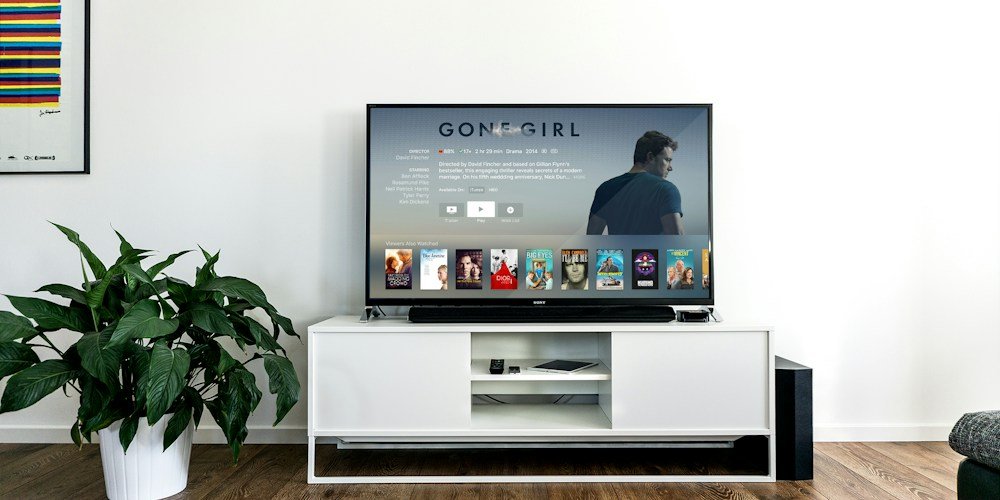
Picture quality: both support the major premium formats
Apple lists Dolby Vision and HDR10+ among the Apple TV 4K’s video formats. Roku lists Dolby Vision, HDR10/10+, and HLG for Ultra. Both are designed for 4K television viewing, and Roku describes up to 2160p at 60 frames per second. On paper, the headline HDR support is close enough that format alone should rarely decide the purchase.
The actual picture depends on the particular app, the title you play, the streaming plan, the TV, and your HDMI setup. A Dolby Vision badge on a device cannot make a standard-definition show into a Dolby Vision master. Your TV needs the corresponding format, and the content provider must deliver it. Roku specifically notes that 4K requires a compatible TV with an appropriate HDMI HDCP 2.2 connection; Apple likewise specifies a 4K and HDR TV for those modes.
Before upgrading a box solely for picture quality, open your TV’s information panel during a title you know is offered in 4K HDR. Confirm the service plan and video output first. If your current setup already plays the format correctly, a new device may provide a nicer interface or remote without a dramatic image upgrade. We cannot assign a winner for real-world picture quality without testing both on the same display and sources.
Sound: check the rest of your system
Roku advertises Dolby Atmos on Ultra and says Atmos requires compatible speakers. Apple describes Dolby Atmos playback and additional listening options with HomePod and AirPods. Both can serve a home-theater setup, but the receiver or soundbar, title, app, and connections all have to support the soundtrack you expect.
If you already own AirPods or HomePods, Apple’s integration is a specific advantage to investigate. Apple describes connecting AirPods for personal listening and pairing two sets for shared listening. Roku describes Bluetooth Headphone Mode, which can pair headphones directly to Ultra. The products approach private listening differently, so compare what you actually own rather than treating all headphone features as interchangeable.
For a soundbar user, examine the supported formats of the television and audio hardware before spending on a player. A device that supports Atmos cannot guarantee Atmos through a TV or receiver that does not pass it along. If your priority is dialogue clarity, review your soundbar and streaming-app settings as well as any device-level feature.
Remote controls: a meaningful everyday difference
Roku includes its Voice Remote Pro, second edition, with Ultra. Roku lists a rechargeable battery, backlit buttons, hands-free voice operation, and a lost-remote finder. Its product page also lists an included USB-C charging cable. Those are tangible conveniences when the room is dark or the remote slips between sofa cushions.
Apple’s Siri Remote has a touch-enabled clickpad, Siri control, USB-C charging, and IR or HDMI-CEC control for a compatible TV or receiver. Apple says a charging cable is sold separately. The touch-enabled control may appeal to people who like Apple’s interface; others may prefer Roku’s backlit buttons. This is a preference, not a measured performance result.
Consider everyone who uses the television. A technically impressive feature is less valuable if another family member cannot quickly find an input, pause playback, or hear the TV. If possible, try a demonstration unit or inspect each remote’s button layout before purchase.
Wi-Fi and Ethernet: pay attention to the exact Apple model
Both products list Wi-Fi 6. Roku Ultra also has 10/100 Ethernet, while Apple reserves Gigabit Ethernet for its 128GB Wi-Fi + Ethernet configuration. Apple’s 64GB Wi-Fi model has no Ethernet port in the specifications. If you have a network cable at the TV, compare the right Apple configuration with Roku rather than assuming every Apple TV 4K model has the same ports.
Ethernet can be useful when your television sits near a router or network jack and Wi-Fi is congested. A 10/100 connection is still ample for normal streaming in many households, although Apple lists a faster Gigabit port on its wired model. The theoretical link speed is not a promise of faster app loading or better video; your internet service, app, and home network can be limiting factors.
If the TV is far from your router, both offer Wi-Fi 6, but performance depends on walls, interference, and router placement. Before buying a new box to solve buffering, test another app and measure connection quality near the TV. A network issue can follow you to either platform.
Apple ecosystem and smart-home features
Apple TV 4K’s biggest distinguishing factor is how it works with other Apple devices. Apple highlights iPhone remote controls, FaceTime using an iPhone or iPad as the camera, AirPods listening, and an Apple Home hub. The Ethernet model also lists Thread networking technology. Those functions may be genuinely useful in a household already invested in compatible devices.
Roku’s product page lists compatibility with Apple AirPlay and HomeKit as well as Google Home and Alexa. That broader set of stated compatibility options may suit a mixed household. Check the specific smart-home action you need and the devices you own; a compatibility logo does not guarantee that every advanced feature works the same on both boxes.
Apple’s extra features do not make every streaming app better by default. If you spend almost all your time opening a video service and pressing play, convenience, remote comfort, and checkout price could matter more than integration with your phone.
Apps and free content: confirm your must-haves
Apple says its platform includes major services such as Netflix, Disney+, Prime Video, and live-TV apps. Roku markets a selection of free, live, and on-demand viewing alongside subscription services. Both are plausible choices for a US household that wants mainstream entertainment, but app catalogs and local rights can change.
Write down the three apps you use most, including sports and regional options. Check each platform’s current app listing and whether your service supports the particular device. If you are buying for a relative, check their preferred service before making them switch platforms. Also distinguish the Apple TV hardware from the Apple TV app or subscription; owning a box does not mean every show is included.
Free channels are useful, but compare their actual programming with what you watch. A large channel count by itself does not replace a specific live sports package or local broadcast station. Subscription prices can become the larger expense over several years, regardless of which box you buy.
Local files and storage
Roku Ultra has a USB 3.0 port and lists local playback via USB for supported media formats. This is a reason to shortlist it if you want to play files from a drive without setting up another media system. Check Roku’s supported file types and your own audio or subtitle formats before relying on this feature.
Apple lists 64GB storage for its Wi-Fi model and 128GB for the Wi-Fi + Ethernet version. This capacity is useful for apps and other supported uses; it does not mean the Apple TV has a comparable plug-in USB drive playback port. Do not compare the two storage figures as though they measure the same practical use case.
If you primarily stream, the difference between 64GB and 128GB may be less consequential than the network ports and smart-home features tied to the Apple configuration. If you maintain a personal movie library, check the apps and workflows for your file collection rather than relying on a storage number.
Price and total cost in the United States
Manufacturer prices and promotions change. Roku’s US page displayed a promotional price for Ultra when we checked it, while Apple’s product page presents multiple Apple TV 4K configurations. A fair checkout comparison includes the exact model, any sale, an HDMI cable when needed, sales tax, and any subscriptions you intend to keep. Do not base a decision on an old list price.
Roku lists a Premium High Speed HDMI cable in its box. Apple’s specifications say an HDMI cable is sold separately. If your existing cable supports the video mode you want, you may be able to reuse it, but check its condition and your TV’s input requirements. Neither device requires a paid subscription just to own the player, though many services and movies require payment.
Over a two- or three-year period, the cost of several subscription services can exceed the hardware difference. Review your subscriptions alongside the box purchase. A cheaper player is not a saving if it prompts you to buy an extra service you would not otherwise use.
Who should skip an upgrade?
If your current smart-TV interface opens your preferred apps reliably, supports the video and audio formats you need, and has a remote you like, buying another device may add little. If one app is slow, update it and check the network before replacing the entire setup. If your display is limited to 1080p, both boxes can still function, but their premium 4K capabilities will not turn that panel into a 4K TV.
Likewise, if your most important app is missing on one platform, the other platform’s extra features cannot compensate. Verify the service first. Think of this as an upgrade for navigation, connectivity, ecosystem features, or a specific supported format that your current device lacks.
Final verdict: Apple TV 4K or Roku Ultra?
For an iPhone-centered home, Apple TV 4K is the more coherent choice based on its documented phone, AirPods, FaceTime, and Apple Home integration. Buy the Ethernet model if wired networking and Thread are part of your plan. For a mixed-device household seeking a highly practical remote, an included HDMI cable, USB playback, and Ethernet in the Ultra model, Roku Ultra is the stronger fit.
Both support premium 4K HDR formats, so the deciding factors are often what is around the player: your phone, headphones, router, TV, and streaming subscriptions. Compare today’s seller prices and app support before you pay. If you’re evaluating the rest of a device purchase, our smartphone buying guide uses the same needs-first approach.
Frequently asked questions
Does Roku Ultra support Dolby Vision and Atmos?
Roku lists both. You also need compatible video content and a Dolby Vision TV for that format, and compatible audio equipment for Atmos. Confirm that your particular streaming app offers the soundtrack you want.
Does every Apple TV 4K have Ethernet?
No. Apple lists Gigabit Ethernet on its 128GB Wi-Fi + Ethernet model; the 64GB Wi-Fi model lacks a listed Ethernet port. Verify the exact configuration at checkout.
Does either box include Netflix or live-TV subscriptions?
No general bundle of every streaming service is included with the hardware. Apps may be available, but services, individual rentals, and subscriptions can cost extra. Check any limited promotional offer’s separate terms.
Is Roku Ultra better for Android users?
It can be a straightforward choice for a mixed or Android household because many of Apple’s differentiating conveniences depend on other Apple devices. That is a recommendation based on ecosystem fit, not a claim that every Android phone function is supported on Roku.
Research and disclosure: This comparison uses manufacturer-published specifications and feature descriptions, checked September 24, 2026. We did not physically test either player. Primary sources: Apple TV 4K specifications, Apple TV 4K overview, and Roku Ultra details. Product features, prices, promotions, and app availability can change.
Other Articles

When to Get a Flu Shot in 2026: US Guide to the 2026–27 Season
How to Use ChatGPT Projects to Organize Work: A Practical Guide




[…] more U.S. consumer-tech guidance, read our Apple TV 4K vs. Roku Ultra comparison and Wi-Fi 7 router […]